One patient record connects the schedule, the chart, the bill and the follow-up. Here is what Sovara Medical™ is being built to do.
Front desk
In development
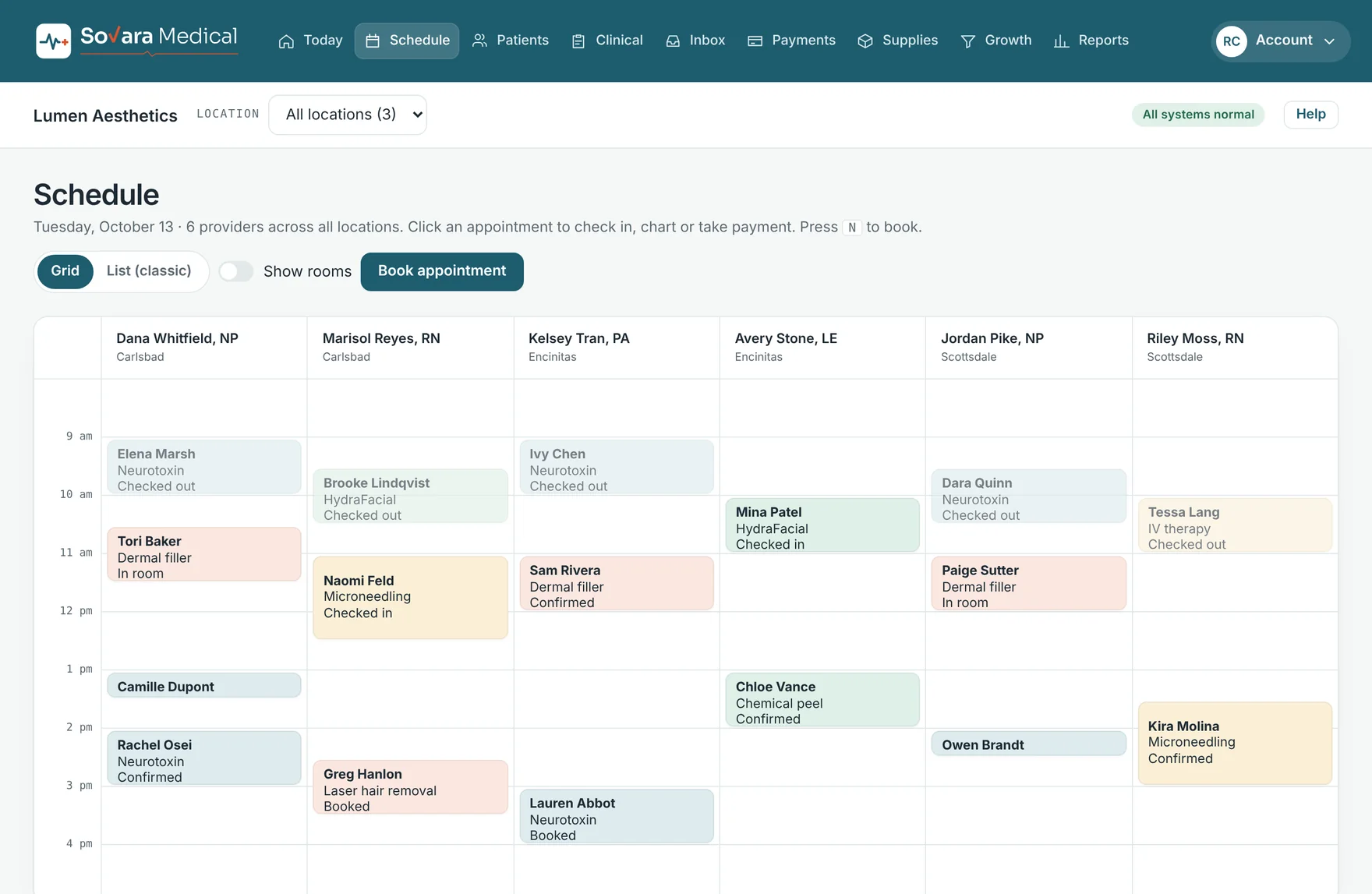
See the whole day on one screen. Check patients in, move them to a room and send them to checkout with one click per step.
Schedule by provider, room or location
Book in a click, or press N from anywhere
Online booking with deposits
Self check-in kiosk for the waiting room
Waitlist that fills cancelled times
Text and email reminders sent automatically
Schedule. Design prototype, sample data.
Charting
In development
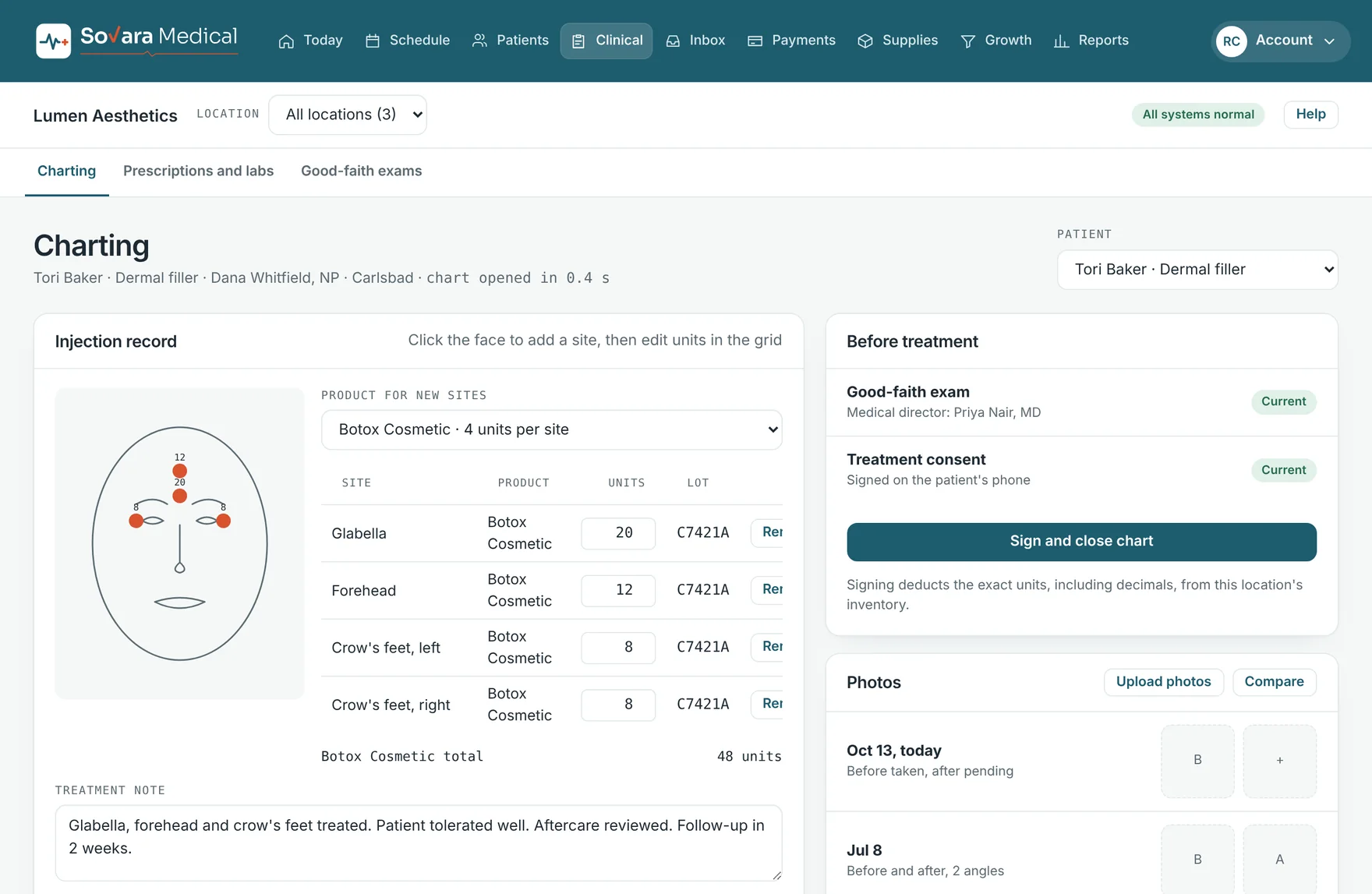
Chart the way the visit actually happens. Tap the face map to add injection sites. Type a short phrase to expand a full note. Attach before-and-after photos to the visit.
Injection maps with product, units and lot per site
Visit notes with templates and dot phrases
AI-drafted notes the clinician reviews and signs
Before-and-after photos, side by side
Signing a chart deducts the product used
A log of who viewed and changed each chart
Injection record. Design prototype, sample data.
Exams and consents
In development
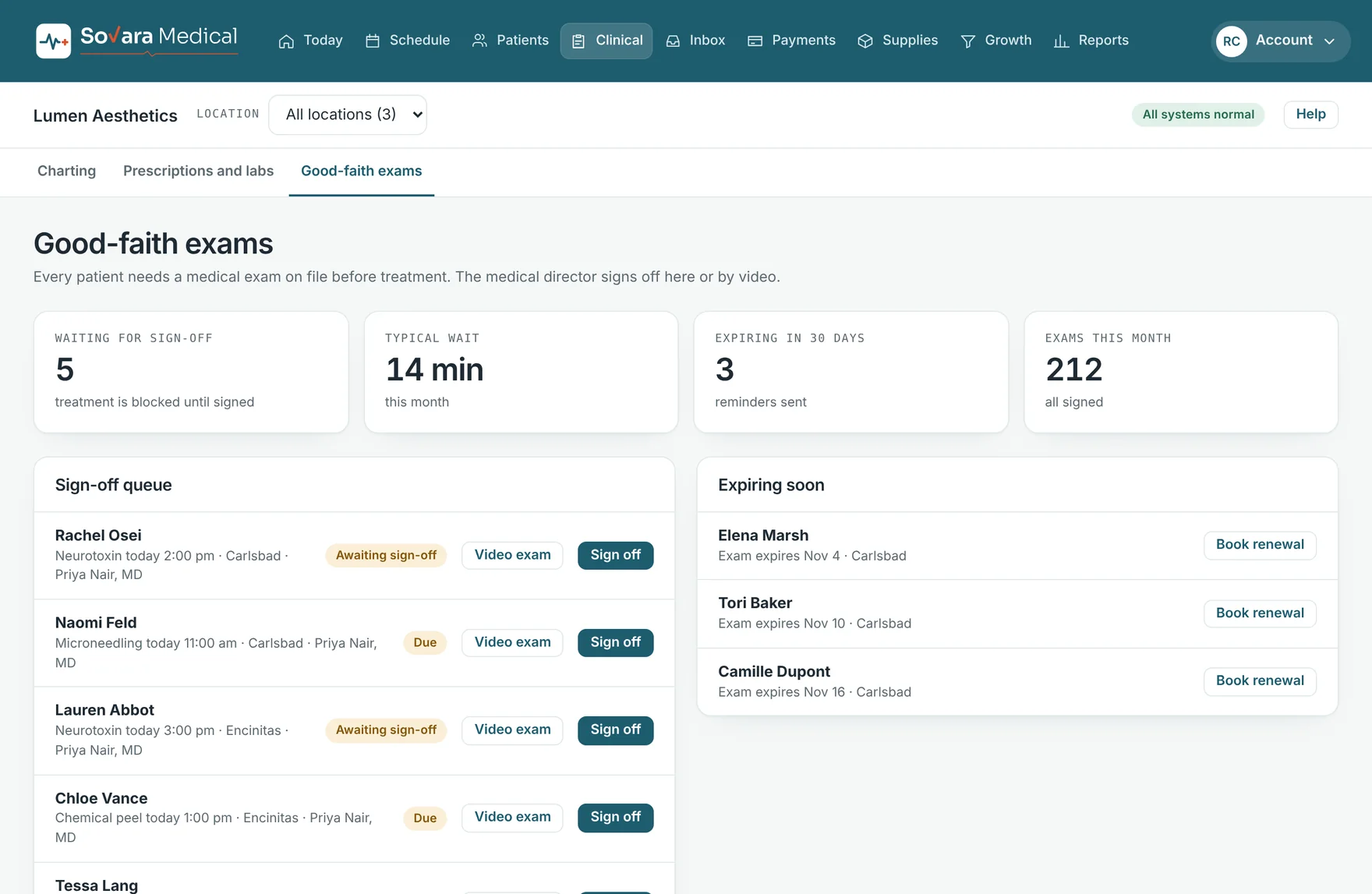
Treatment waits until the paperwork is done. Good-faith exams go to the medical director for sign-off, by video if needed, and consents are signed on the patient’s phone before the visit.
Sign-off queue for the medical director
Renewal reminders before an exam expires
Versioned consent forms, signed on any device
Treatment blocked until both are current
Good-faith exams. Design prototype, sample data.
Payments
In development
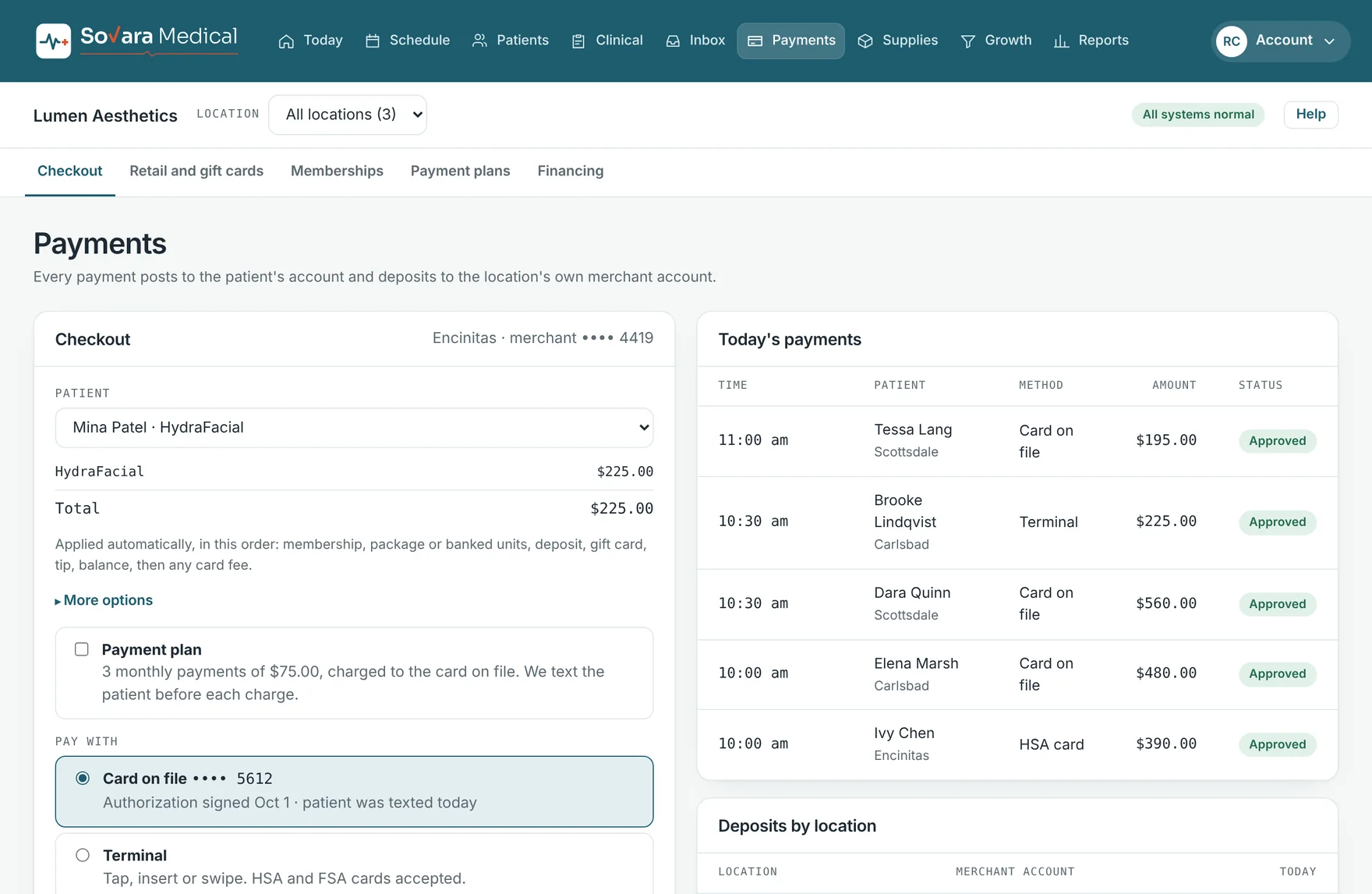
The bill builds itself from the chart. Credits, memberships and gift cards apply in a set order, and the payment posts to the patient’s account the moment it is approved.
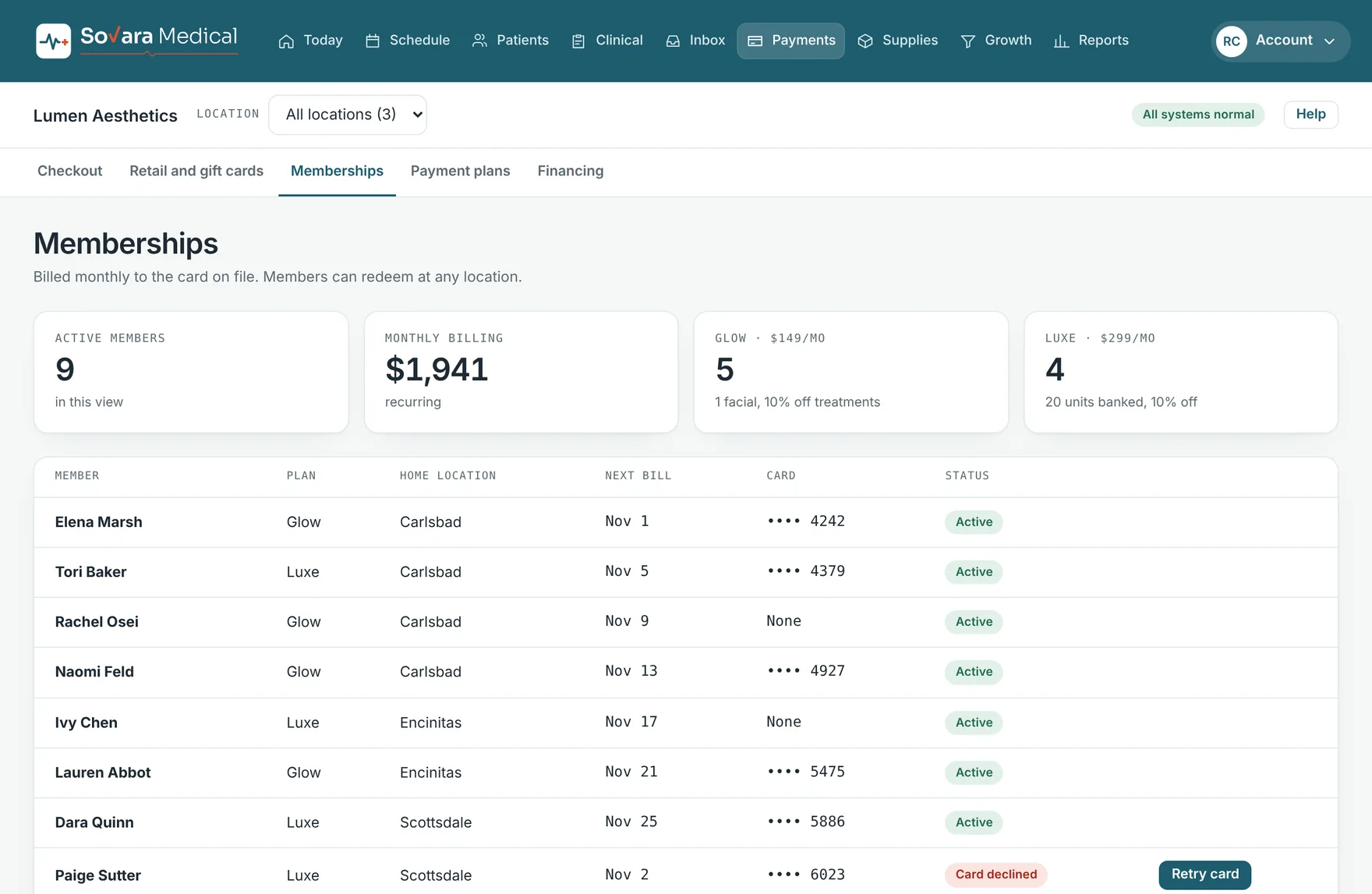
Recurring revenue without a spreadsheet. Members are billed monthly to the card on file and can use their benefits at any of your locations.
Monthly plans with member pricing
Packages and banked units
Declined cards flagged for a retry or update link
Member benefits applied at checkout
Memberships. Design prototype, sample data.
Inventory
In development
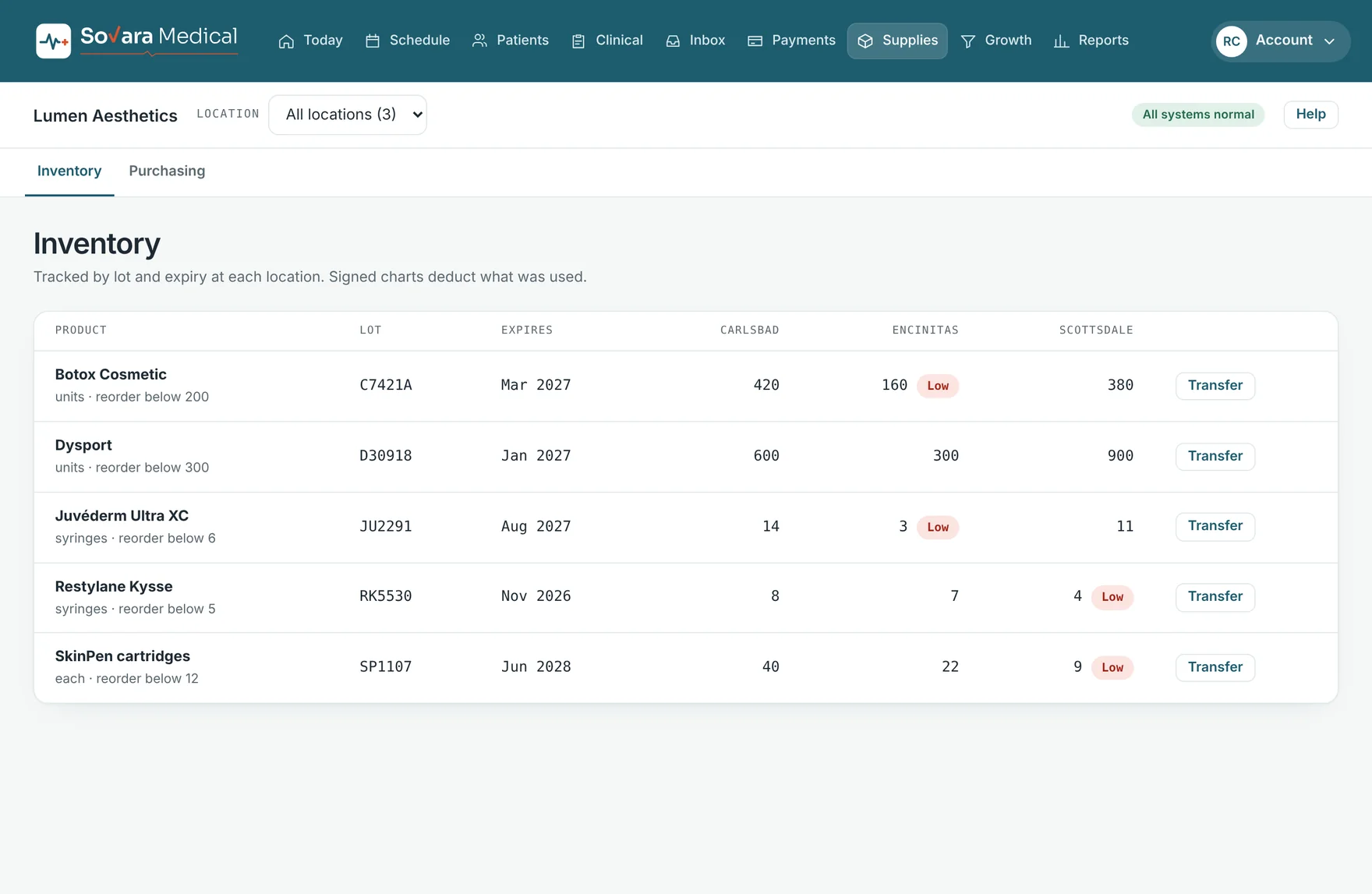
Know what is on the shelf at every location, down to the lot and expiry date. When a chart is signed, the exact units used come off the count.
Lot and expiry tracking by location
Reorder alerts below a level you set
Transfers between locations
Purchase orders and receiving
Inventory. Design prototype, sample data.
Messages
In development
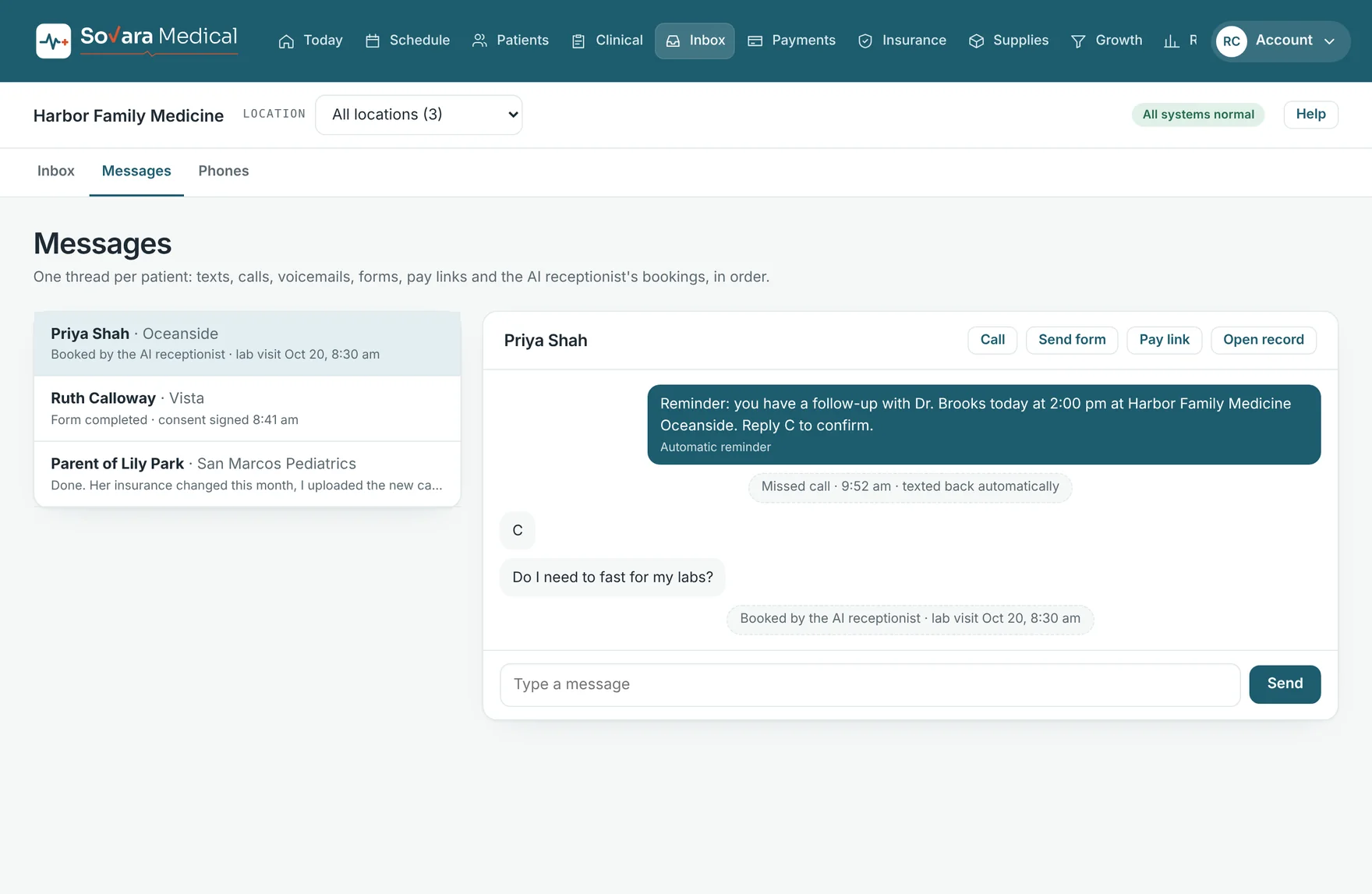
Every text, call, voicemail, form and payment link for a patient sits in one thread, in order. Anyone at the desk can pick up where the last person left off.
Two-way texting from the practice number
Missed calls answered by text
Send a form or a pay link from the thread
Review requests after a visit
Messages. Design prototype, sample data.
Reports
In development
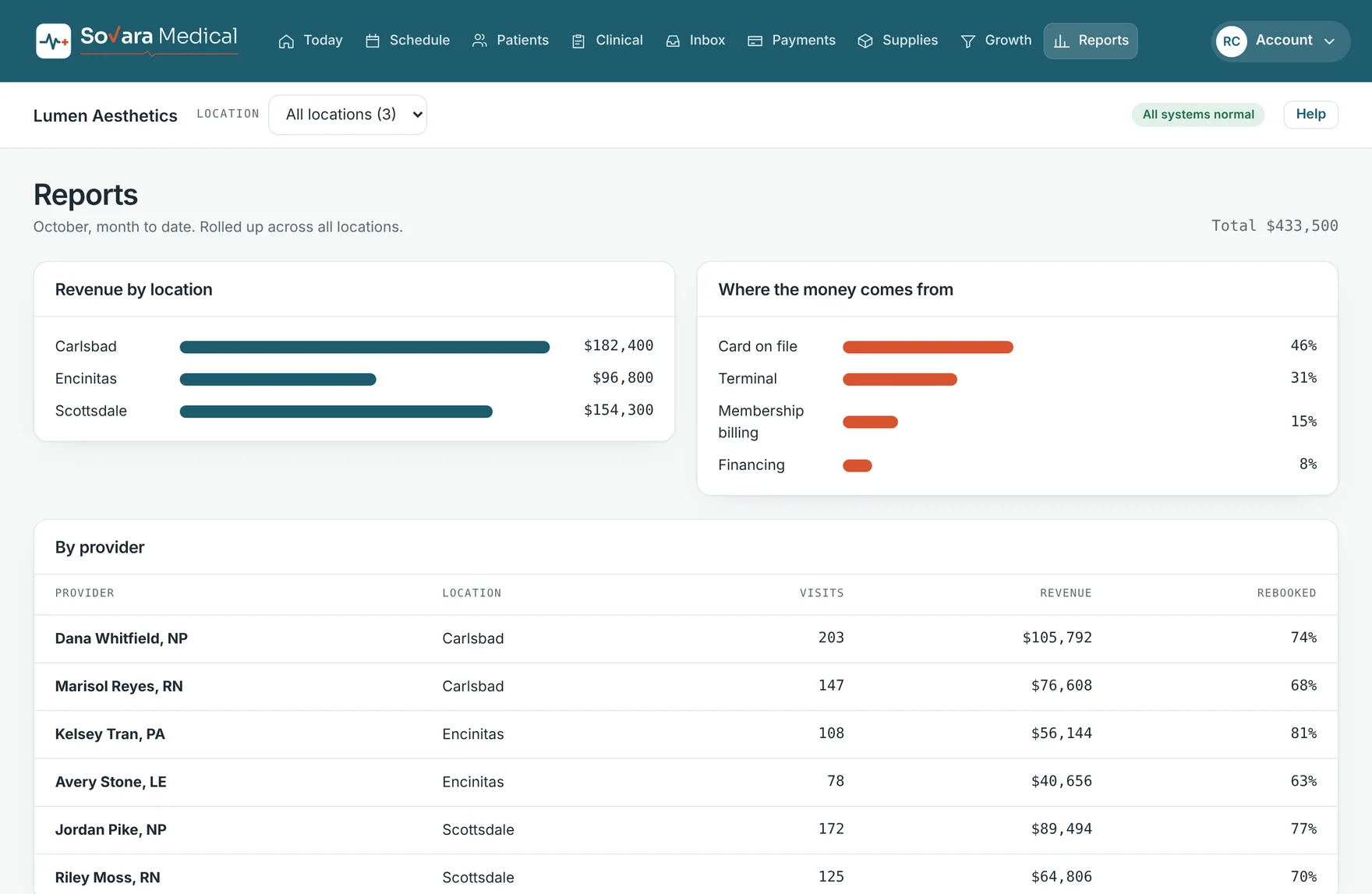
See revenue by location, by provider and by how patients paid, rolled up across the practice. Rebooking rates show which providers keep patients coming back.
Reports. Design prototype, sample data.
Locations and access
In development
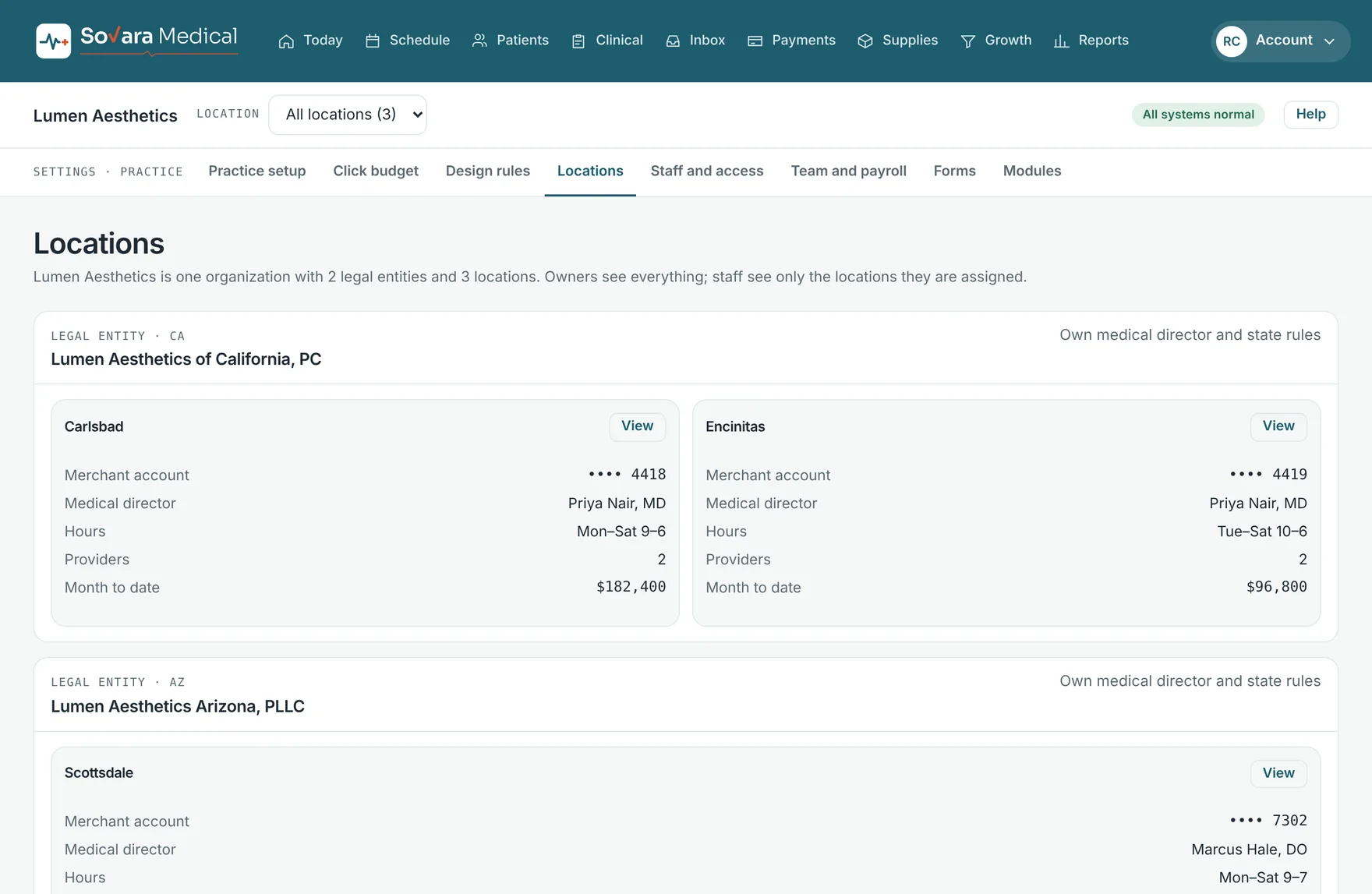
Set up the practice the way it is actually organized: legal entities, the locations under each, and who can see what.
Multiple legal entities and states
A medical director and hours per location
Roles for owners, providers and front desk
Staff see only the locations they work at
Every sign-in and change recorded
Staff schedules and hours for payroll
Locations. Design prototype, sample data.
Staff and patient apps
In development
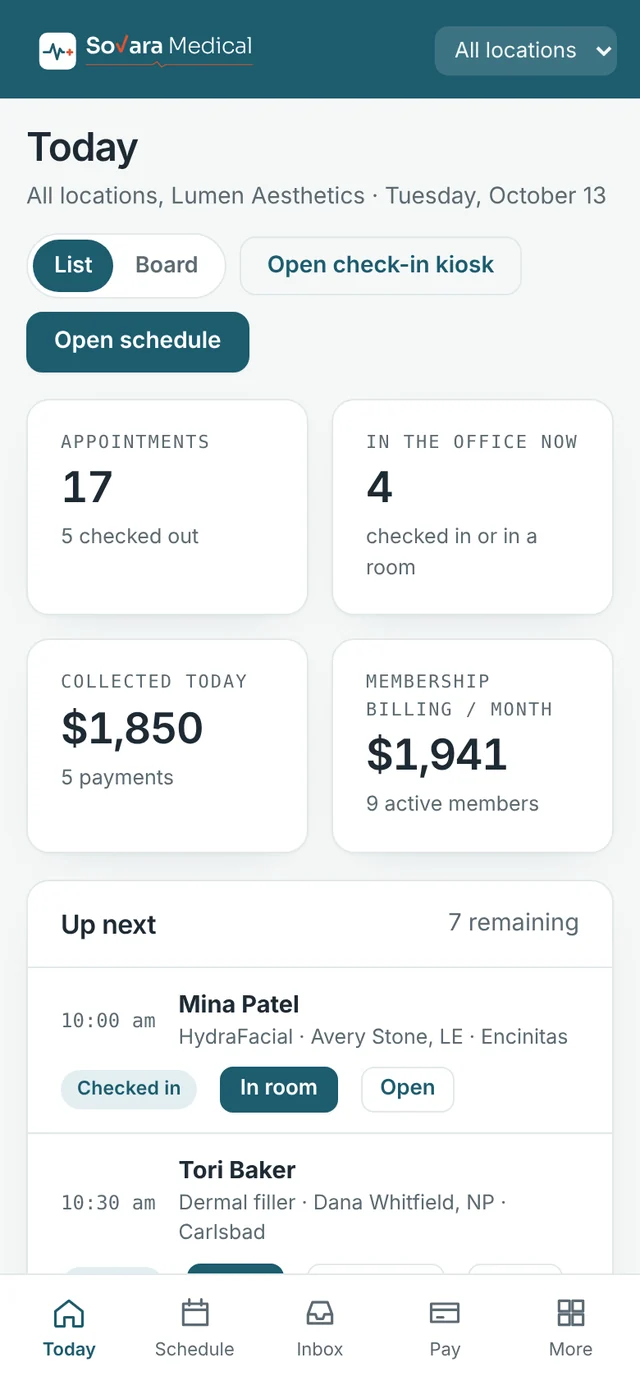
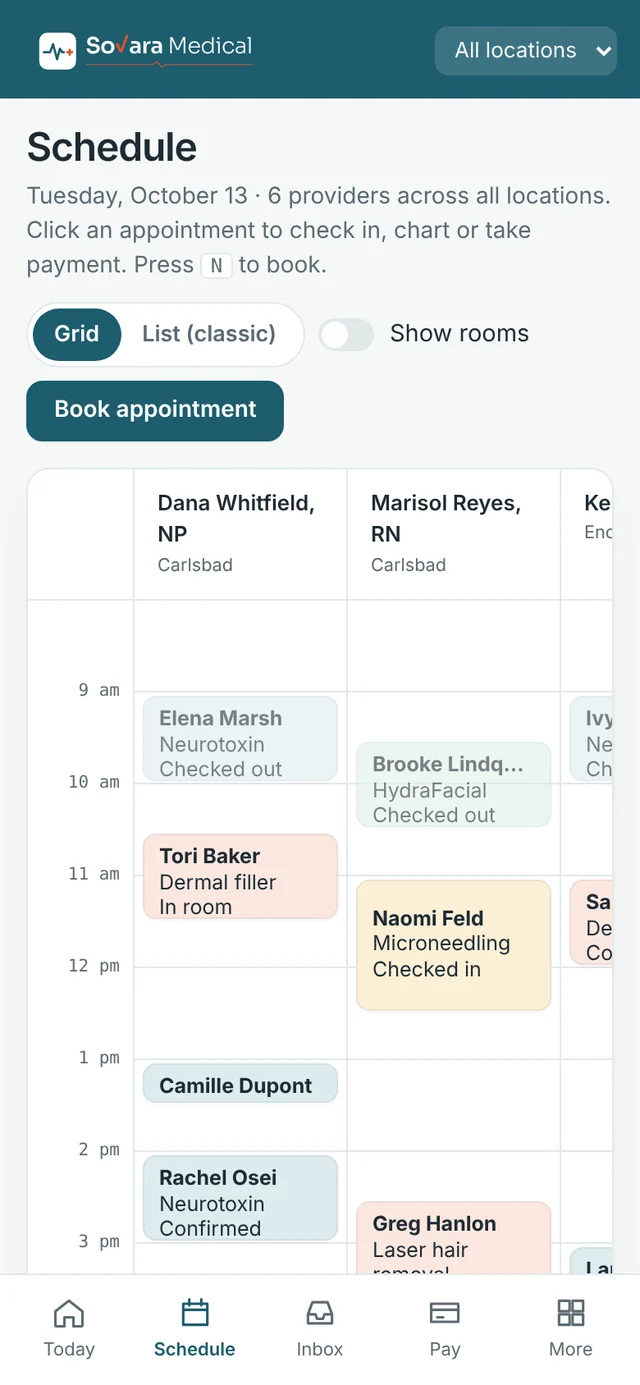
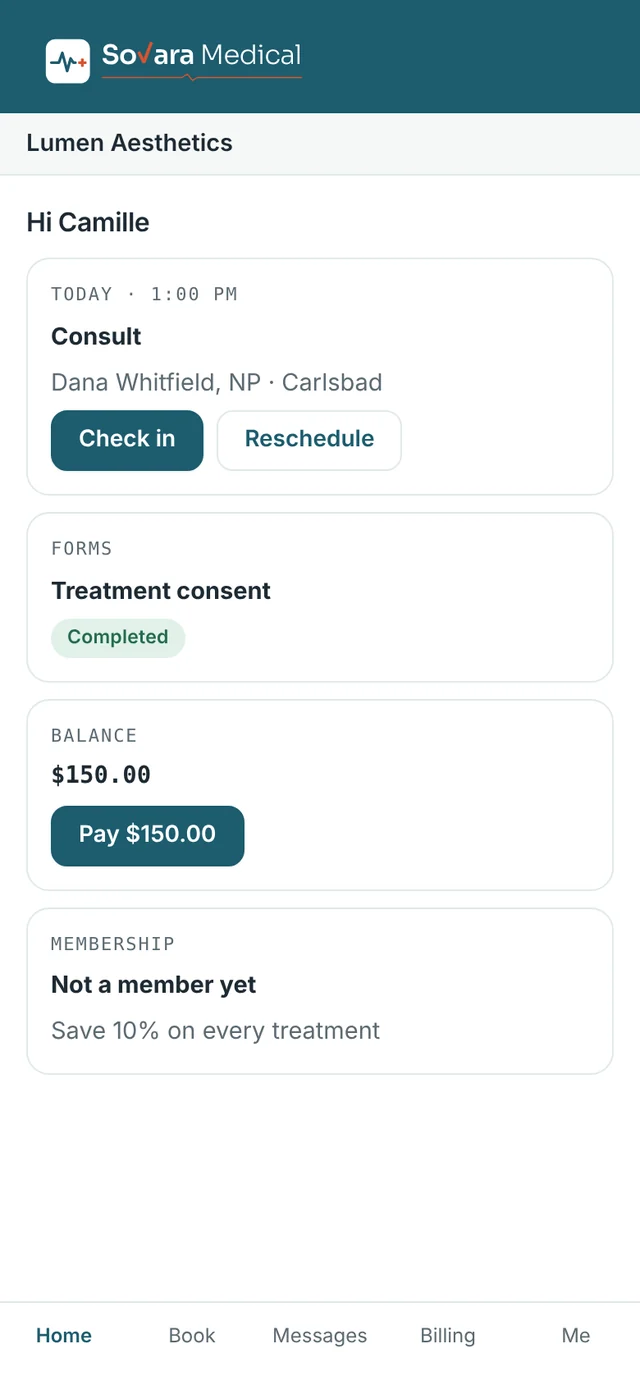
Providers check the day and take payments from a phone. Patients book, sign forms and pay from theirs, in an app that carries your practice’s name.
Staff app (left and center) and patient app (right). Design prototype, sample data.
Insurance and prescribing
Planned with partners
Practices that bill insurance need more than a schedule and a card reader. These parts depend on specialist partners. We will name them, and confirm what is included, before launch.
Insurance eligibility checks before the visit
Claims reviewed against payer rules before sending
Electronic prescribing
Lab orders and results
See it before anyone else.
Join the updates list for launch news and an early look at the product.